




Create free workspace
NewAI question builder is live

Build any form, survey or application.Collect anywhere. Understand everything.

From market research and testing new product demand to off-grid field enumeration: collect verified data anywhere, catch doubtful submissions early, and run intelligent strategy analysis with governed AI.

Starter workspace · no card · 3,000 submissions a month

Prepare published forms for interviews, inspections or registrations on selected devices. Save browser drafts offline, then synchronize when a connection returns.

XLSFormimport questionnaires or build forms visually
10selectable languages; translation coverage is expanding
0customer records used to train Jorip-owned models
Versionedpublished forms and submission corrections keep revision history
Works withXLSFormXFormsExcelCSVREST APIWebhooksYour SMTP
Who answers

Enumerators, applicants, customers, citizens

The same platform reaches a household in a village with no signal and a customer filling in a form on a phone in a city centre.

An enumerator interviewing a family beside a rice field on a tablet
Household interview, offline on a tablet
A health researcher interviewing a woman outside her home
Door-to-door health surveillance
A researcher speaking with a shopper in a retail street
Street intercept, syncing live
A researcher and community leader outside a solar centre
Community research
Use cases

One platform for every form you run

A form can be a survey, an application, a sign-up or a checklist. Each one can have its own access rules, review steps, notifications and reports.

A market researcher conducting a consumer product demand survey in a supermarket on a tablet in Bangladesh

Market research & intelligence

Measure new product demand, evaluate consumer sentiment for products and services, and guide intelligent strategy analysis.

Product demand testing · market intelligence · consumer sentiment · price sensitivity · strategic analysis

Explore

Feedback & satisfaction

Collect feedback from the people you need to hear from, review privacy settings and compare compatible rounds over time.

Staff, customer, student, patient, member or citizen feedback · pulse and exit surveys · service ratings

Explore

Applications & reviews

Collect applications with documents and move each through your own review stages.

Jobs · grants · admissions · awards · supplier onboarding · permits

Explore

Registrations & sign-ups

Capacity limits, waitlists and approvals, with participants kept informed.

Events · trainings · enrolment · memberships · volunteers

Explore

Requests & checklists

Structured forms for the work your teams do every day.

Service requests · incident reports · inspections · audits · approvals

Explore
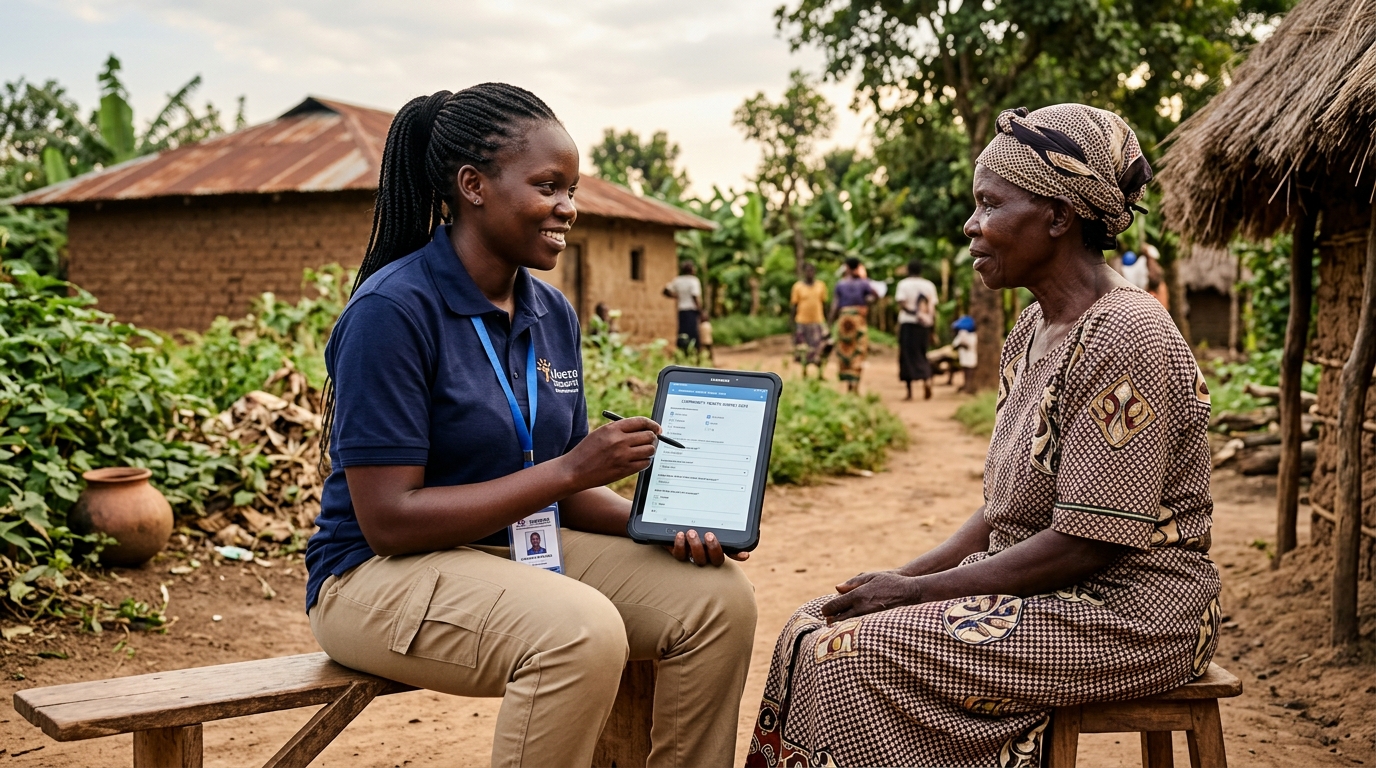
A community healthcare worker conducting a mass medical survey on a digital tablet in rural Bangladesh

Field data collection

Prepare published forms on registered devices before working with little or no connectivity. Save browser drafts offline, then synchronize and review conflicts when a connection returns. Draft encryption depends on browser support.

Mass surveyOffline formsGPS checksPhotos & audioDevice management
Explore

Designed for: government and public-sector bodies · NGOs and development programmes · research agencies and universities · businesses · associations and membership organisations

How it works

From a brief to a finished report, in one place

  1. 01

    Describe it

    Tell Jorip what you need to learn, who you are asking, the language and how many questions you want.

  2. 02

    Draft it with AI

    When enabled, AI returns an editable question draft for you to review. You can also author every question manually.

  3. 03

    Refine it

    Edit, reorder, add your own questions, set answer types and logic, or import an XLSForm.

  4. 04

    Publish it

    Validation runs before anything goes live. Every published version is locked and kept.

  5. 05

    Collect it

    Share by link, QR, email, WhatsApp or embed, or send teams into the field offline.

  6. 06

    Check it

    Quality signals flag rushed, duplicated or implausible submissions for a person to review.

  7. 07

    Understand it

    Ask questions in plain language, build dashboards and analyse open-text answers.

  8. 08

    Act on it

    Generate project PDFs on request, share supported exports and configure webhooks. Review workflow decisions keep an audit history.

BuildStep 1 of 4 · Scroll to explore

Describe it, draft it, shape it

Start from a sentence, a blank canvas or the spreadsheet you already have. Every route ends in the same validated, versioned form.

Build · AI question builderAI-drafted
BRIEFCourse feedback for second-year students,English and Bengali, 8 questions|GenerateAIHow clear were the learning goals of this course?Rating 1–5AIWhich activities helped you learn the most?Multiple choiceAIHow manageable was the weekly workload?Slider+ Your own question, added by handOpen text3 AI-drafted · 1 manual · nothing published until you choose
Text · number · dateSingle & multiple choiceRating & rankingMatrix & score blocksSlidersNotes & acknowledgementsPhoto · audio · videoSignature & drawingBarcode & QR scanFile & document uploadGPS point · path · areaCalculated & hidden fieldsCascading choicesConstraints & repeat groupsMulti-language formsVersion comparison & rollbackPublication checklistVisual branching builder · rolling outQuestion & block library · roadmap
Collection

Collect online, offline or through any channel

Bring submissions from supported channels into the same workspace. Distribution links use the published form version configured for that link.

  • Public and member links with expiry dates, revocation, access limits and short links.
  • Source tracking. Channel, campaign and UTM values are saved with each public submission.
  • Offline collection. Registered devices, downloadable forms, duplicate-safe sync and remote device removal.
  • For respondents. A progress bar, a confirmation with a reference number, and your logo and colour.
ODK Collect & OpenRosa clients · roadmap
EmailWhatsAppQR codeOfflineWeb embedLinkedIn
Data qualitySignal 1 of 4 · Scroll to examine

Find quality signals before you rely on the data

These examples show how configured quality rules flag submissions for review. Checks depend on available evidence, and a flag is not proof of fraud.

Each flag names the rule and the threshold that fired. A person decides what happens next.
Sample checkrule: duration.speeding
Interview duration · this formmedian 14:20threshold 6:002 submissionsfaster than 2.4× the median
SUB-8821Completed in 5:48 against a 14:20 median
Workflows

What happens after someone presses send

Choose a preset to watch a submission travel through it, or build your own stages, approvals and messages.

Illustrative workflow examples use sample records. Registration notifications depend on configured recipients and delivery; a review-stage change alone does not send every example message.

  1. Submitted

    A place is held and a reference is issued.

  2. Checked

    Contact details are checked for duplicate registrations.

  3. Capacity

    Inside the limit, or moved to the waitlist.

  4. Approved

    A person confirms, or approval is automatic.

  5. Confirmed

    The participant is told, and attendance is tracked.

Registrationsto the participant

You are confirmed for the training

Your place is held. Reference REG-2841. The organiser will share the venue and time.

Example message · check configured delivery

Capacity

184 of 200 places taken16 left

Everyone beyond 200 is placed on the waitlist automatically, in order.

Decision history

  • Registration received09:41
  • Duplicate contact checked09:41
  • Place confirmed by Amina10:02
Append-only. Entries cannot be edited or removed.
Analysis and reporting

From a question to a signed-off report

Explore results with reviewable queries and dashboards, save report definitions and generate project PDFs on request. Use supported exports and configured integrations for your team’s handoff.

Illustrative product previews use sample data. Provider-backed AI requires configuration and workspace permission. Saved report schedules do not currently send reports automatically.

Analysis · Wave 3Governed queries · Reviewable evidence
Which districts rated health services lowest last month?Understood as · check before runningAverage health rating by district, AugustSELECT district, AVG(health_rating)FROM wave_3 WHERE month = '2026-08'GROUP BY district ORDER BY 2read-onlyAverage rating · 1 to 5SylhetRangpurKhulnaRajshahiDhaka2.1SUMMARYSylhet is lowest at 2.1, from 214 submissions.Every other district is above 3.0.Open the 214 source rows ›
Ask questions in plain language: translated into verifiable, read-only SQL queries before running.
Explore product demand, brand perception and pricing responses from your collected submissions.
Review supplied transcripts, source-linked quotes and image descriptions in qualitative workflows. Approved text-field summaries do not automatically read audio, video or images.
Inspect query results and source-linked evidence before sharing an insight.
Jorip does not train its own models on customer data. External provider handling depends on the provider's API terms and the workflow's safeguards.
Languages

10 language options

Select from 10 supported languages including English, Bangla, Arabic, German, Spanish, French, Hindi, Japanese, Dutch, and Thai, with right-to-left layout for Arabic. We are expanding translation coverage across the workspace. Forms can include additional response languages.

EnglishবাংলাالعربيةDeutschEspañolFrançaisहिन्दी日本語Nederlandsไทย
Security

Security and privacy controls

Jorip holds personal information about the people you serve. These are the controls that protect it.

  1. 01

    Isolated workspaces

    A workspace subdomain for each organisation, with server-side tenant checks and automated isolation tests.

  2. 02

    Custom roles

    Workspace and project roles from a permission list, checked on the server every time.

  3. 03

    Full audit history

    Published forms are locked, corrections create revisions, and administrative actions have audit records.

  4. 04

    Privacy tools

    Consent records, access and deletion requests, retention rules and legal holds.

  5. 05

    AI controls

    Workspace controls for provider-backed AI, workflow-specific data safeguards, and reviewable outputs.

  6. 06

    Support access by approval

    Time-limited grants approved by your owner, with every action recorded.

We do not currently hold ISO 27001 or SOC 2 certification, and will say so here until we do.

Pricing

Find the plan that fits your team

Review the currently published plans, prices and allowances for the work your team needs to do.

Loading current plans…

Need detailed limit breakdowns?Compare the published allowances, prices and billing periods before choosing a plan.
LIVE DEMO · FREE OF COST

Make your organization digital and intelligent.

Half an hour, on your own research or survey forms, and it costs you nothing. Bring one question list, and we will configure it live during the call, so you watch your own forms running, not a sample.

  • Seeing the demo is free. No card, no commitment, no obligation to buy.
  • Start with the free Starter plan. Review paid plan terms before choosing more capacity.
  • Discuss your setup and training needs. Share a sample questionnaire to help us prepare.
  • Choose a preferred time. Our team will follow up to confirm availability.
1 Pick a day
2 Pick a time30 minutes · Asia/Dhaka (UTC+6)
3 Your details
FAQ

Common questions

No. Jorip is a general form and data-collection platform. Organisations use it for surveys and censuses, but equally for feedback, applications, registrations, inspections, requests and any other structured information they gather. Workflows add review stages, approvals, capacity limits and notifications on top of any form.

Get started today

Create your first form

Build a form for your next survey, application or feedback request. Collect responses in one workspace and give your team a clear place to review them.

  • Flexible forms for surveys, applications and registrations
  • Connected collection for online responses and compatible offline fieldwork
  • Review with context using submissions, quality findings and team permissions
  • Choose a plan for your team · review current prices and allowances
Jorip Studio / Product Demand SurveyForm preview
Section 1 · Consumer Feedback

New Product Demand & Willingness to Pay

Q1How likely are you to purchase this product at the standard retail price?
Extremely likely
Somewhat likely
Neutral / evaluating alternatives
Example question
Single-select answer
No responses shown